
Quick answer: Task automation is the use of software or AI to complete a specific, repeatable job, like sending a confirmation email, updating a spreadsheet, or replying to a WhatsApp inquiry without a human doing it manually each time. It’s the smallest, most practical building block of the bigger “automation” conversation businesses are having right now.
If you’ve ever set up an auto-reply, an email filter, or a Zapier trigger, you’ve already used task automation. But the version businesses are chasing in 2026 looks very different from a simple auto-reply. It’s smarter, it’s AI-driven, and it’s quietly becoming the difference between companies that scale efficiently and companies that stay buried in busywork.
Let’s break down what task automation actually is, how it works, why it matters right now, and how to know if your business is ready for it.
What Is Task Automation, Really?
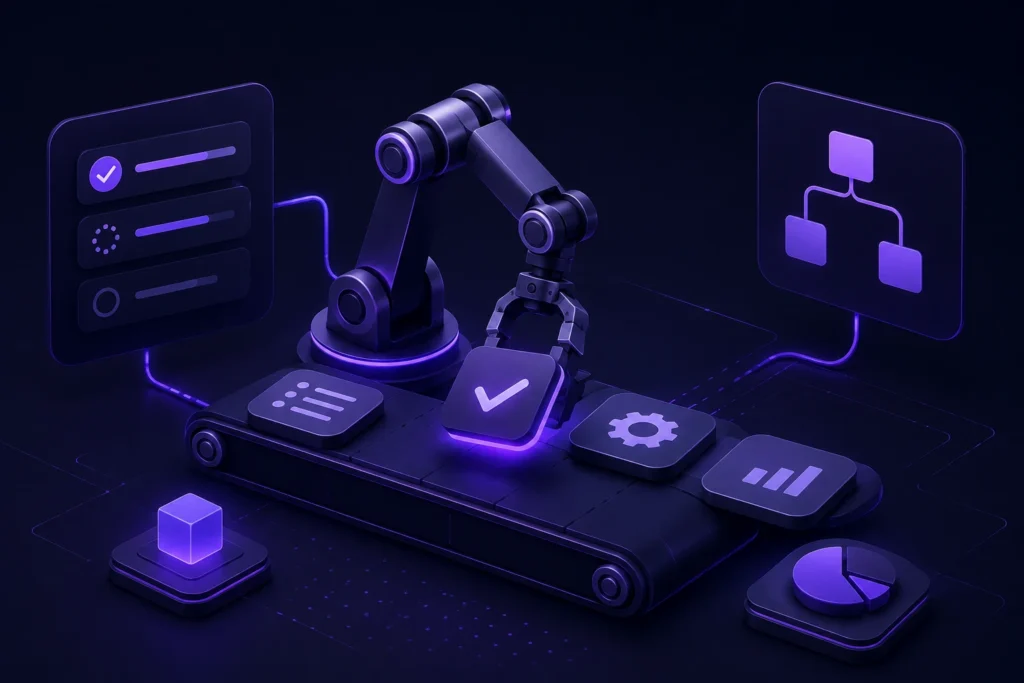
At its core, task automation means handing off a single, well-defined action to a machine so a person doesn’t have to do it by hand every single time. Think of it as the “unit” of automation, the smallest piece that automation systems are built from.
A few everyday examples:
- A new lead fills out a form, and a task automation instantly adds them to your CRM.
- A customer messages your business on WhatsApp, and an AI agent answers common questions before a human ever sees the chat.
- An invoice comes in, and the system extracts the numbers and files it automatically.
- A calendar booking triggers a confirmation text and a reminder 24 hours later.
None of these require a person to sit and think, they’re rule-based or AI-driven actions that follow a trigger and produce a result. That’s the whole idea.
Task Automation vs. Workflow Automation vs. AI Automation
People use these terms interchangeably, but they aren’t quite the same thing, and understanding the difference actually matters for anyone trying to decide what to invest in.
Task automation handles one action. Example: auto-sending a “thank you for your order” email.
Workflow automation connects several tasks into a sequence with logic and conditions. Example: a new order triggers an email, updates inventory, notifies the warehouse, and schedules a delivery, all in one connected chain.
AI automation goes a step further by adding reasoning. Instead of just following fixed rules, an AI agent can understand context, make judgment calls, hold a conversation, and adapt its next step based on what it just learned. It’s less “if this, then that” and more “understand this, then decide.”
Most businesses start with task automation, graduate to workflow automation, and are now moving toward AI-powered automation because it can handle the messy, unpredictable parts of work that rigid rules never could.
Why Task Automation Is Having a Moment in 2026
This isn’t hype, the numbers back it up. Automation has crossed from “nice to have” to mainstream business infrastructure.
- <cite index=”2-1″>66% of organizations have adopted automation in at least one business function, up from 57% the year before, according to McKinsey.</cite>
- Even with that adoption, <cite index=”2-1″>workers still lose about a quarter of their work week to manual, repetitive tasks.</cite> That gap is exactly what task automation is designed to close.
- <cite index=”7-1″>84% of large enterprises have already adopted process automation, compared with roughly 60% of businesses overall</cite>, but that gap is narrowing fast as smaller businesses get access to the same AI tools.
- <cite index=”9-1″>88% of organizations globally now use AI in at least one business function, though only around a third have scaled it across the entire company</cite> meaning most businesses are still in the early, task-level stage.
- <cite index=”8-1″>Gartner projects that 40% of enterprise applications will feature task-specific AI agents by the end of 2026, up from less than 5% in 2025.</cite>
- On the customer-facing side, <cite index=”3-1″>chatbots and AI agents now handle around 70% of routine customer queries, freeing human teams to focus on complex, high-value work.</cite>
- The financial case is just as strong: <cite index=”2-1″>Forrester measured a 248% three-year ROI from workflow automation investments.</cite>
- And the impact isn’t only financial. <cite index=”7-1″>88% of employees report higher job satisfaction after their organization automates repetitive tasks</cite> because nobody enjoys spending their day copy-pasting data between systems.
Regionally, the shift is even sharper. The UAE now ranks #1 globally in AI adoption, with more than 70% of the working-age population using AI tools daily, the highest rate of any country in the world (Microsoft AI Economy Institute, Q1 2026). For businesses in Dubai and across the GCC, this isn’t a future trend to prepare for. It’s already the baseline your customers and competitors are operating on.
How Task Automation Actually Works
Under the hood, most task automation follows a simple structure, whether it’s a basic rule or a sophisticated AI agent:
- Trigger: something happens that starts the process (a form submission, a new email, a WhatsApp message, a calendar event).
- Logic or reasoning: the system decides what to do. Basic automation follows fixed rules (“if X, then Y”). AI-driven automation uses a model to interpret intent, check context, and decide the right response.
- Action: the system does the work: sends a message, updates a record, books an appointment, escalates to a human, or moves data between tools.
- Feedback loop (for AI systems): the system learns from outcomes and improves how it handles similar tasks over time.
The technology behind this ranges from simple no-code triggers (like Zapier or Make) to Robotic Process Automation (RPA) for rule-based data tasks, all the way up to AI agents that can hold a full conversation, pull data from a CRM, and make a judgment call, no scripting required.
Where Task Automation Delivers the Most Value
Not every task is worth automating, but a few categories consistently deliver the fastest returns:
Customer communication.
Answering FAQs, qualifying leads, and booking appointments on WhatsApp or your website instantly, 24/7, in multiple languages.
Data entry and document handling.
Extracting information from invoices, contracts, or forms and feeding it straight into your systems without manual re-typing.
Lead qualification and follow-up.
Automatically scoring, tagging, and routing leads the moment they come in, instead of losing them in a slow reply queue.
Scheduling and reminders.
Appointment booking, rescheduling, and no-show reduction through automated confirmations and reminders.
Reporting and internal ops.
Pulling numbers from multiple tools into one dashboard or summary, on a schedule, with zero manual compiling.
This is also where the ROI shows up fastest. <cite index=”4-1″>Organizations report cost reductions of 10 to 50% after implementing automation</cite>, and industry-specific gains can be dramatic <cite index=”4-1″>automating manufacturing tasks alone is estimated to save the industry billions of working hours.</cite> On a broader scale, <cite index=”5-1″>McKinsey estimates that generative AI combined with workflow automation could add $2.6 to $4.4 trillion to global GDP annually.</cite>
Real Examples of Task Automation in Action
-
Real estate:
A WhatsApp AI agent qualifies every property inquiry the moment it lands, answers questions, and books viewings straight into the CRM, even at midnight.
-
Healthcare:
An AI receptionist handles appointment bookings, rescheduling, and treatment FAQs in Arabic and English, cutting admin workload and reducing no-shows.
-
E-commerce:
An AI agent tracks orders, processes returns, and answers product questions across a Shopify store and Instagram DMs, even during peak sales periods.
- B2B sales:An AI SDR qualifies inbound leads before they ever reach a sales rep, so the team spends time closing instead of screening.
-
Finance:
Automated KYC onboarding and contract review flag risks and missing information in minutes instead of days.
These aren’t hypothetical use cases, they reflect how businesses across real estate, healthcare, e-commerce, and finance are already using task automation to save hours and convert more opportunities without adding headcount.
Is Task Automation the Same as “Replacing Employees”?
No, and this is one of the most common misconceptions. Task automation is best used to remove the repetitive, low-judgment work that drains time and morale, not the work that requires empathy, negotiation, or strategic thinking. The goal isn’t fewer people; it’s freeing the people you have to do the work that actually needs a human. That’s also why employee satisfaction tends to rise, not fall, after automation is introduced nobody misses manually re-entering data from a spreadsheet.
How to Get Started With Task Automation
You don’t need to automate everything at once. A practical approach looks like this:
- Map your repetitive tasks. List the actions your team repeats daily or weekly, replying to the same questions, entering the same data, sending the same follow-ups.
- Prioritize by impact. Start with tasks that are high-frequency and low-complexity, these give the fastest, most obvious ROI.
- Pick the right tool for the job. Simple, rule-based tasks might only need a no-code trigger. Anything involving conversation, judgment, or unstructured data (like WhatsApp replies or document review) needs an AI-driven system.
- Integrate, don’t isolate. Automation only pays off if it connects to the tools you already use your CRM, your store, your booking system, instead of living in its own silo.
- Monitor and refine. Automation isn’t “set and forget.” Track what’s working, where customers get stuck, and where the system needs retraining.
This is exactly where a lot of businesses get stuck, not because automation is too complicated conceptually, but because integrating it properly across CRMs, WhatsApp, and existing workflows takes real technical work. That’s the gap an experienced AI automation agency is built to close, handling the strategy, build, and integration so you’re not learning it from scratch.
How Korvax AI Helps With Task Automation
Korvax AI builds task and workflow automation systems specifically for businesses that want results, not just tools. A few ways this plays out in practice:
- AI Automation & Workflows that replace manual, repetitive tasks with connected systems running 24/7, without adding to your headcount.
- AI-Powered Assistants including AI chatbot development and conversational AI agents that qualify leads, answer questions, and book appointments on WhatsApp and web chat in both Arabic and English.
- Data & Document Automation for invoices, contracts, and forms, so information moves into your systems without manual re-entry.
- AI Integration & Systems that connect automation directly to the CRM, e-commerce platform, or internal tools you already use Salesforce, HubSpot, Zoho, Shopify, WooCommerce, and more.
- AI Consulting & Strategy to map which tasks are worth automating first, based on actual ROI rather than guesswork.
- AI Agents & Advanced Automation for more complex, multi-step tasks that go beyond simple triggers.
Most first automations go live within 4 to 6 weeks, measured against real outcomes: hours saved, leads converted, and costs reduced.
FAQs About Task Automation
What is task automation in simple terms?
It’s using software or AI to complete a specific, repeatable action, like replying to a message or updating a record without a person doing it manually each time.
What’s the difference between task automation and workflow automation?
Task automation handles one action. Workflow automation links multiple tasks together into a connected sequence with logic and conditions.
Is task automation only for large companies?
No. Adoption is growing fastest among small and mid-sized businesses, since AI-powered tools have made automation far more affordable and easier to deploy than traditional enterprise software.
Can task automation understand natural language, like a WhatsApp message?
Yes, when it’s AI-powered. Modern AI agents can read intent, hold a conversation, and take the right action not just follow rigid, pre-set rules.
How long does it take to set up task automation?
Simple automations can go live in days. More complex, AI-driven systems integrated with a CRM or e-commerce store typically take 4 to 8 weeks, depending on scope.
Will task automation replace my team?
It’s designed to remove repetitive work, not people. Most businesses redirect their team’s time toward higher-value work like relationship-building and strategy, rather than cutting headcount.
The Bottom Line
Task automation isn’t a buzzword anymore, it’s the quiet infrastructure behind businesses that respond faster, convert more, and run leaner than their competitors. The businesses winning in 2026 aren’t necessarily the ones with the biggest teams; they’re the ones that automated the busywork early and let their people focus on everything a machine still can’t do.
If you’re ready to see which of your repetitive tasks are worth automating first, book a free discovery call with Korvax AI and get a clear, no-fluff roadmap built around your actual workflows.